
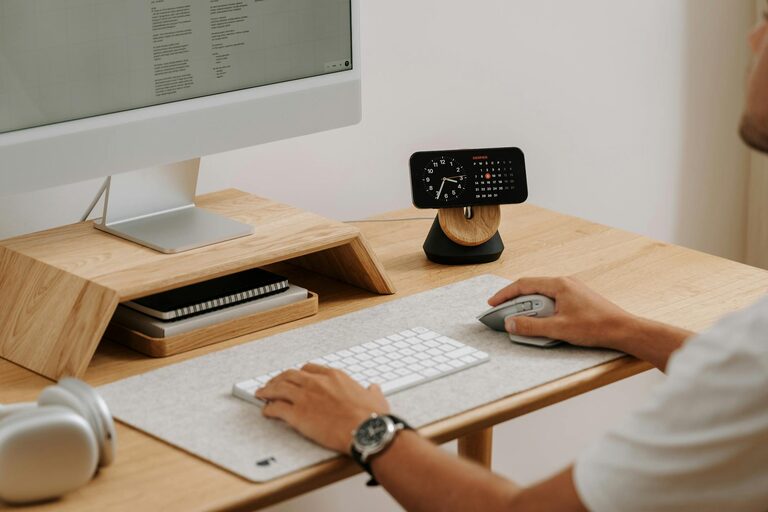
Creating a clutter-free workspace at home can greatly improve your productivity, focus, and overall well-being. Whether you work remotely, study, or use a home office occasionally, having an organized environment reduces distractions and helps maintain a positive work mindset. This post shares effective tips to help you design and maintain a tidy, efficient workspace that suits your needs.
Why Organizing Your Home Workspace Matters
Clutter can affect your ability to concentrate and manage tasks effectively. A disorganized area makes it harder to find what you need and may lead to stress. By keeping your workspace neat, you create a calming environment that encourages creativity and efficiency.
Step 1: Choose the Right Spot
Finding a dedicated space for your work is essential. Ideally, pick a quiet area with good natural light and enough room for your desk and necessary equipment.
– Avoid high-traffic or noisy zones.
– Position your desk near a window if possible.
– Ensure you have access to power outlets.
Step 2: Declutter and Sort
Before organizing, remove everything from your workspace and sort items into categories:
– Keep: Essentials you use daily.
– Store: Items used occasionally, stored nearby.
– Remove: Unnecessary or outdated materials to recycle or discard.
This process helps reduce distractions and ensures only useful items remain.
Step 3: Invest in Functional Furniture and Storage
Smart furniture choices can maximize space and keep things organized.
– Choose a desk with drawers or shelves.
– Use filing cabinets or storage boxes for documents.
– Opt for vertical storage like wall shelves to save surface space.
Using furniture tailored to your needs helps maintain order with minimal effort.
Step 4: Organize Supplies Accessibly
Keep your most-used tools within easy reach.
– Use desk organizers or trays for pens, paper, and gadgets.
– Assign specific spots for each item.
– Label storage containers to quickly locate contents.
Having a place for everything reduces clutter build-up and saves time.
Step 5: Manage Cables and Electronics
Tangled wires can make a workspace look messy.
– Use cable clips or ties to group cords.
– Consider wireless devices to reduce cables.
– Route cables behind the desk or along edges to keep them out of sight.
A tidy cable setup improves both aesthetics and safety.
Step 6: Personalize Mindfully
Adding personal touches makes your workspace inviting but avoid overdecorating.
– Choose a few meaningful items like photos or plants.
– Keep decorations minimal to prevent distractions.
– Use calming colors to create a peaceful atmosphere.
Personalizing your office can boost motivation if balanced well.
Step 7: Develop Daily Habits to Maintain Order
Keeping a clutter-free space requires regular effort.
– Spend 5-10 minutes at the end of each workday tidying up.
– File papers and put supplies back in their places.
– Review your workspace weekly and adjust as needed.
Consistent habits prevent mess accumulation and keep you organized long-term.
Bonus Tips for Productivity
– Use a planner or digital task manager to organize your work.
– Incorporate good lighting to reduce eye strain.
– Take short breaks away from your desk to refresh your mind.
A well-organized environment paired with good habits maximizes your efficiency and satisfaction.
—
Creating a clutter-free workspace at home is achievable with practical strategies and a bit of discipline. By choosing the right space, sorting belongings, using smart storage, and maintaining your area, you set yourself up for productive and enjoyable workdays. Start today with small changes and watch how your workspace transforms!