
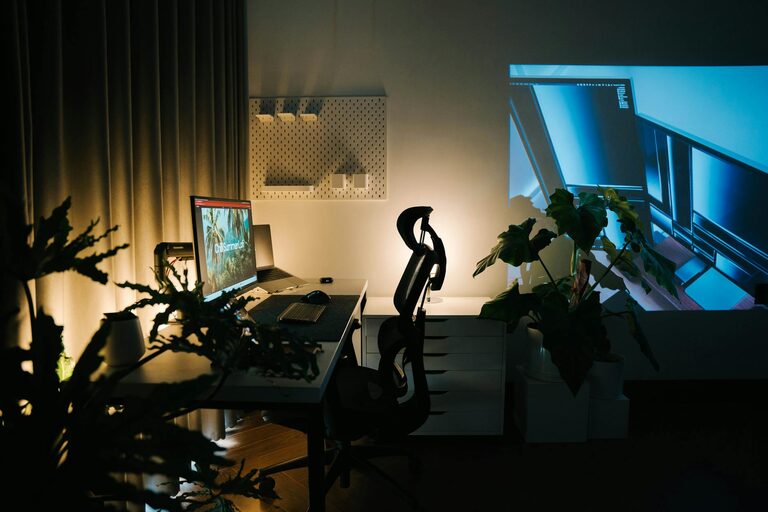
Creating a home office that balances coziness with productivity is essential for anyone working remotely or spending extended hours at home. A well-designed workspace can increase focus, reduce stress, and make your workday more enjoyable. If you’re looking to transform your home office into a productive sanctuary, this guide offers practical tips to help you achieve just that.
Choose the Right Location
Quiet and Private Space
Selecting the right spot in your home is the first step. Ideally, choose a quiet area away from distractions like the living room or kitchen. A separate room is perfect, but if that’s not possible, a quiet corner with some room dividers or a screen can work well.
Natural Light
Natural light boosts mood and energy levels. Position your desk near a window where you can enjoy daylight without glare on your computer screen. If natural light is limited, use daylight-mimicking bulbs to brighten the room.
Invest in Ergonomic Furniture
Comfortable Chair
A supportive chair is crucial. Invest in one with adjustable height, lumbar support, and good cushioning. This helps prevent back pain and keeps you comfortable during long work sessions.
Functional Desk
Choose a desk that suits your needs. It should have enough surface space for your computer, notes, and any other tools you use regularly. Consider adjustable desks that allow you to switch between sitting and standing to improve circulation and reduce fatigue.
Organize Your Workspace Efficiently
Declutter Regularly
A clutter-free desk helps maintain focus and reduces stress. Use storage boxes, shelves, or drawers to keep your supplies organized and out of sight.
Use Smart Storage Solutions
Incorporate vertical storage like wall-mounted shelves or pegboards to free up desk space. Label files and supplies clearly to find what you need quickly.
Personalize Your Space
Add Soothing Elements
Include items that make you feel relaxed and happy, such as plants, artwork, or inspirational quotes. Plants, in particular, improve air quality and add a touch of nature.
Choose a Calming Color Palette
Soft, neutral tones like light blues, greens, or warm grays promote calmness and concentration. Avoid overly bright or distracting colours that might disrupt your focus.
Manage Lighting and Screen Setup
Layered Lighting
Use a combination of ambient, task, and accent lighting to reduce eye strain and create a cozy atmosphere. A desk lamp with adjustable brightness is useful for focused tasks.
Screen Position
Place your computer monitor at eye level and about an arm’s length away. This setup helps maintain good posture and reduces neck and eye strain.
Create a Routine-Friendly Environment
Set Boundaries
Design your workspace so that it feels separate from your living areas. This helps create mental boundaries between work and relaxation.
Incorporate Break Space
If possible, have a comfortable chair or a small corner where you can take brief breaks. Stretching or relaxing for a few minutes can boost productivity and wellbeing.
Control Noise and Distractions
Soundproofing
If noise is an issue, use rugs, curtains, or acoustic panels to absorb sound. Noise-cancelling headphones can also help you focus during busy times.
Limit Digital Distractions
Turn off non-essential notifications and consider apps that block distracting websites while you work.
Maintain Air Quality and Temperature
Fresh Air Circulation
A well-ventilated room with fresh air keeps you alert and improves concentration. Open windows when possible or use an air purifier.
Comfortable Temperature
Maintain a comfortable temperature in your workspace. Use fans, heaters, or air conditioning to create an optimal climate for working.
Use Technology Wisely
Reliable Internet Connection
Ensure your internet connection is stable and fast enough to support all your work tasks, especially video calls and large file uploads.
Quality Equipment
Invest in quality headphones, microphone, and a webcam for a seamless remote working experience.
Final Thoughts
Creating a cozy and productive home office is about balancing comfort with functionality. By thoughtfully selecting your workspace, investing in ergonomic furniture, personalizing your environment, and managing light, sound, and clutter, you’ll build a home office that supports both your wellbeing and work efficiency. Remember, small adjustments can make a big difference, so start by prioritizing the tips that resonate most with your workflow and preferences. Happy working!